PREPARING DOWNLOAD...

Quick Navigation

Features Pricing Contact
Login Start Free
Premiere Pro Integration
Adobe Premiere Pro

Download the REDitors
Premiere Pro Plugin

Install once and get Auto Captions, Silence Remover, AI Speech Cut, and Title Animator directly inside your Premiere Pro timeline.

Works with Adobe Premiere Pro 2020 (v14.x) and later · Windows & macOS · Now on Adobe Exchange

What the plugin adds

Auto Captions

Transcribe audio in 95+ languages and place captions frame-perfectly on your active Premiere Pro sequence.

AICaptions

Silence Remover

Automatically detect every silence and pause, and apply cut suggestions directly to your Premiere Pro timeline.

AIAudio

AI Speech Cut

AI detects and removes umms, ahs, and filler words — cuts placed on your sequence with natural rhythm preserved.

AISpeech

Title Animator

Pick from animated caption presets and apply them to your Premiere Pro timeline in seconds. No motion design needed.

MotionCaptions

How to install the plugin

Download step screenshot

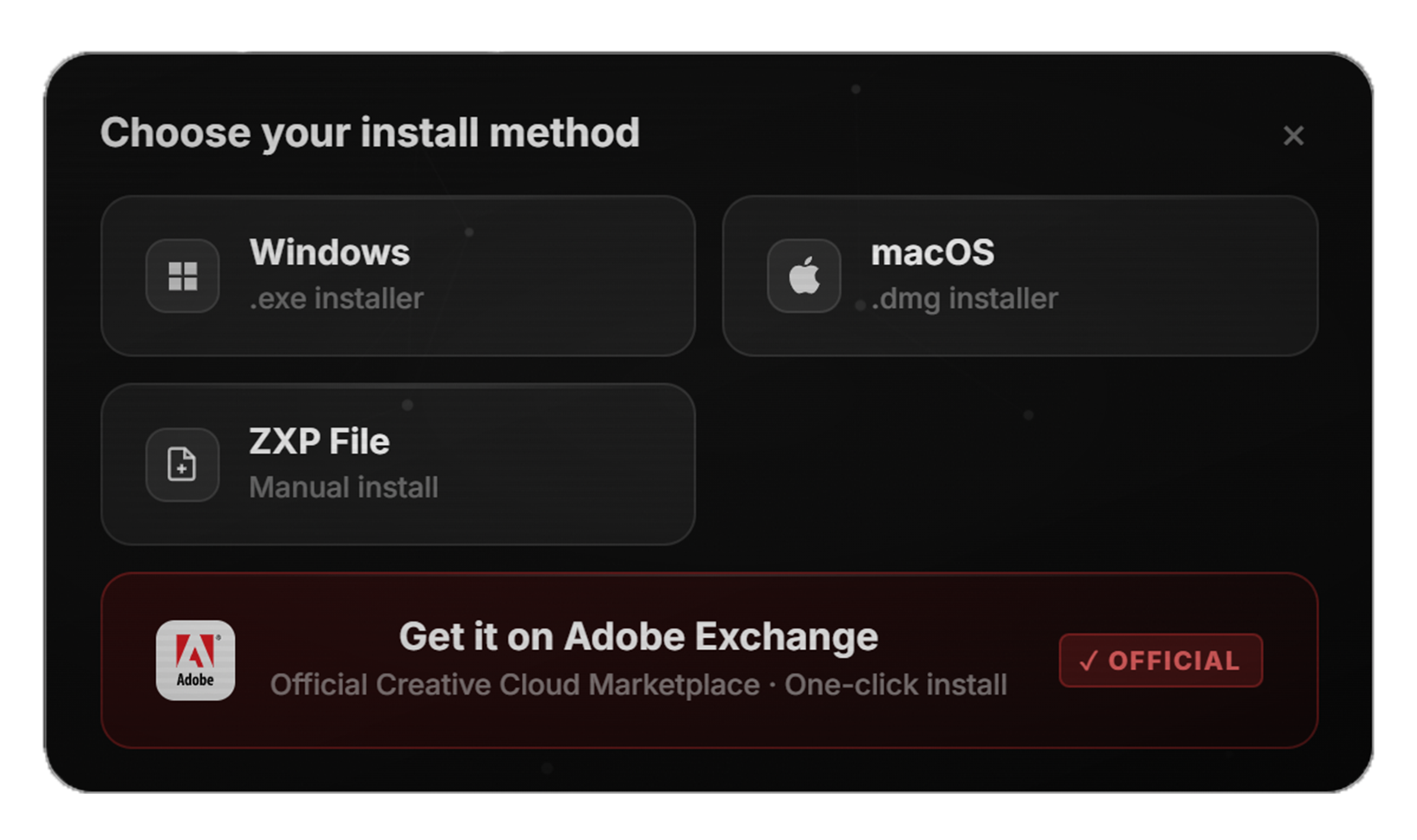
1. Download

Click the button above to download the latest REDitors Premiere Pro plugin for your OS.

Install step screenshot

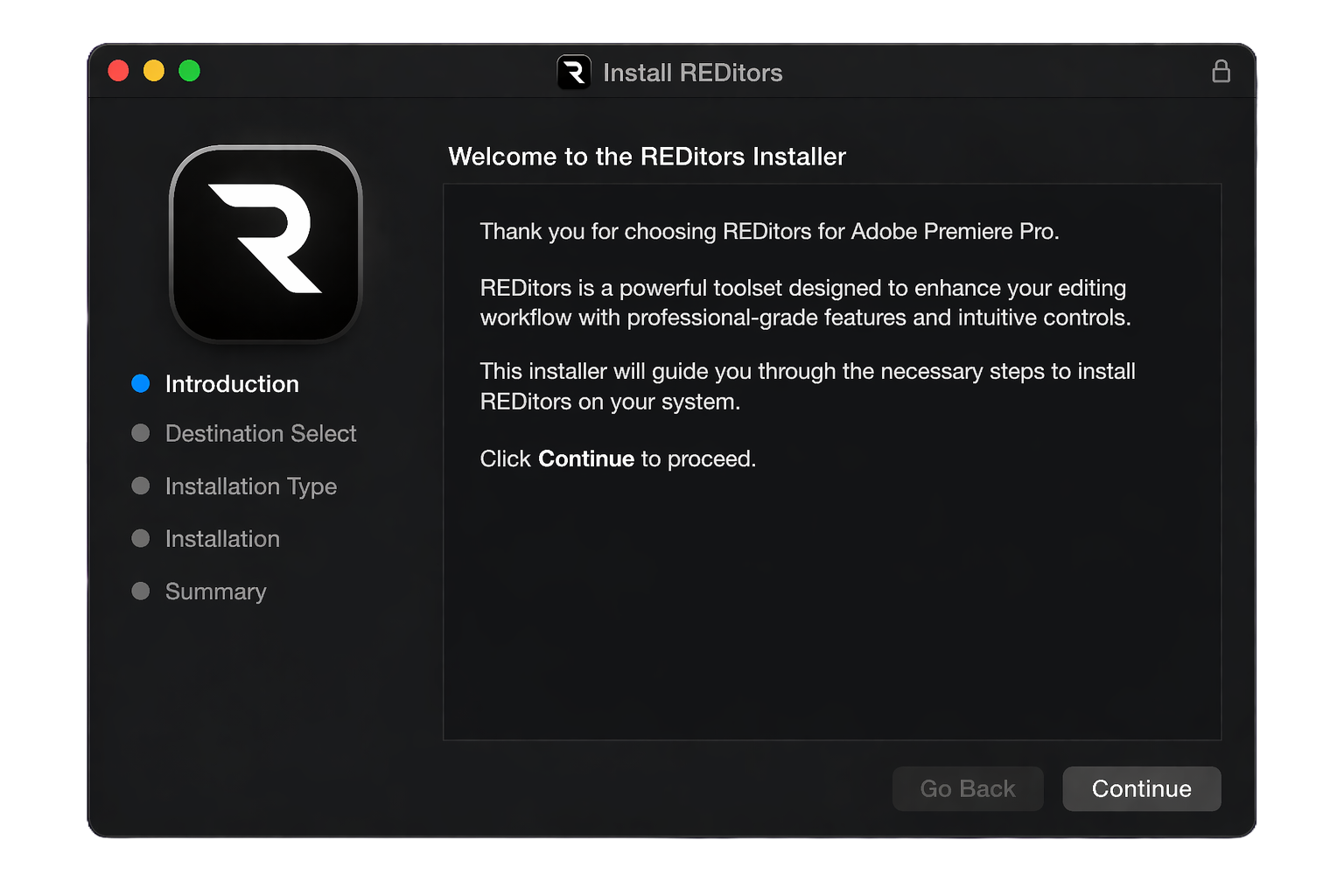
2. Install

Run the installer or add the extension through Creative Cloud, then follow the on‑screen steps.

Launch in Premiere screenshot

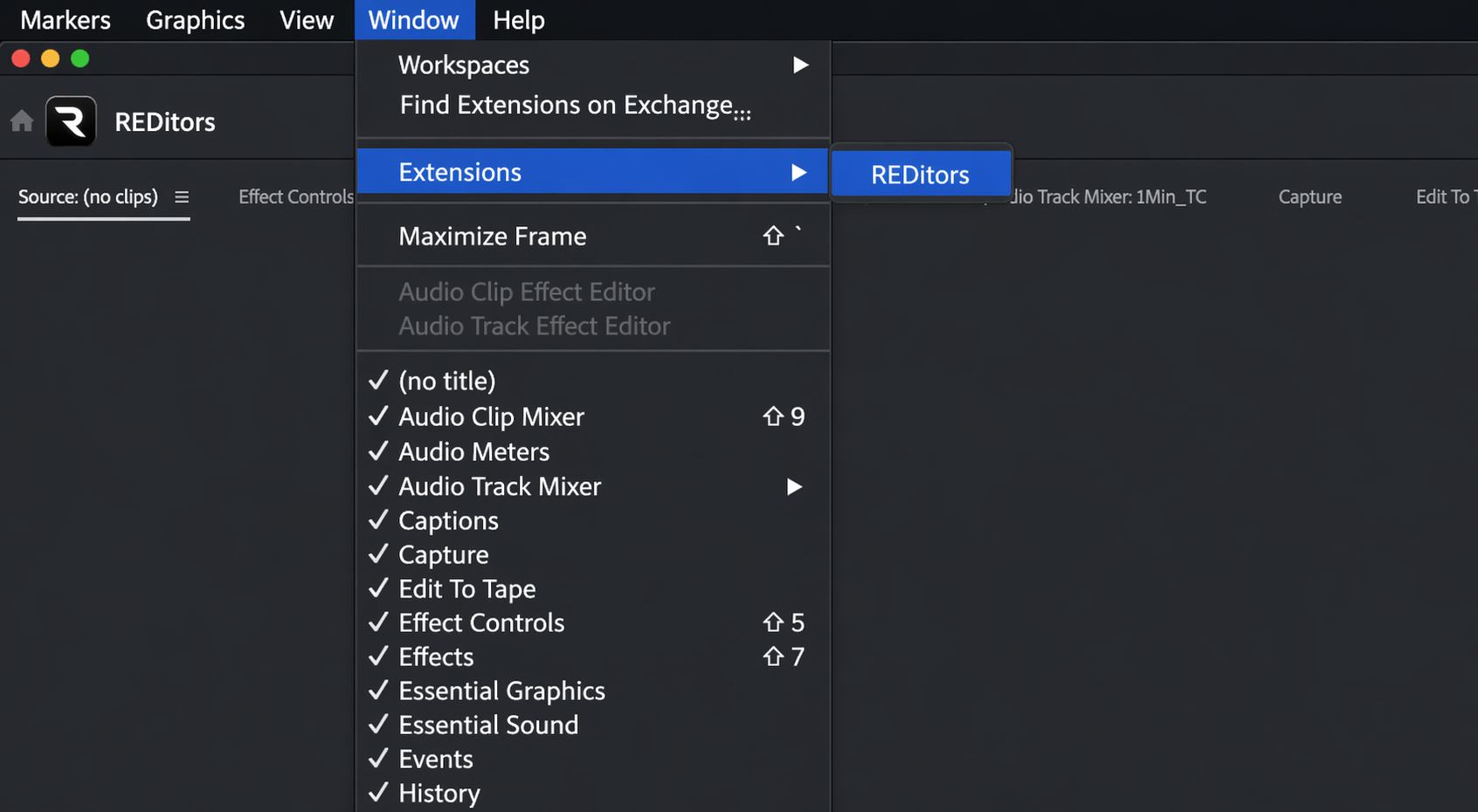
3. Launch in Premiere

Open Premiere Pro, go to Window → Extensions (or Essential Panels), launch REDitors, then sign in.